
The 10 essential apps for a trip to New York
Here are the 10 useful and practical apps to make your life easier in New York, from customs to the subway. These apps are free!
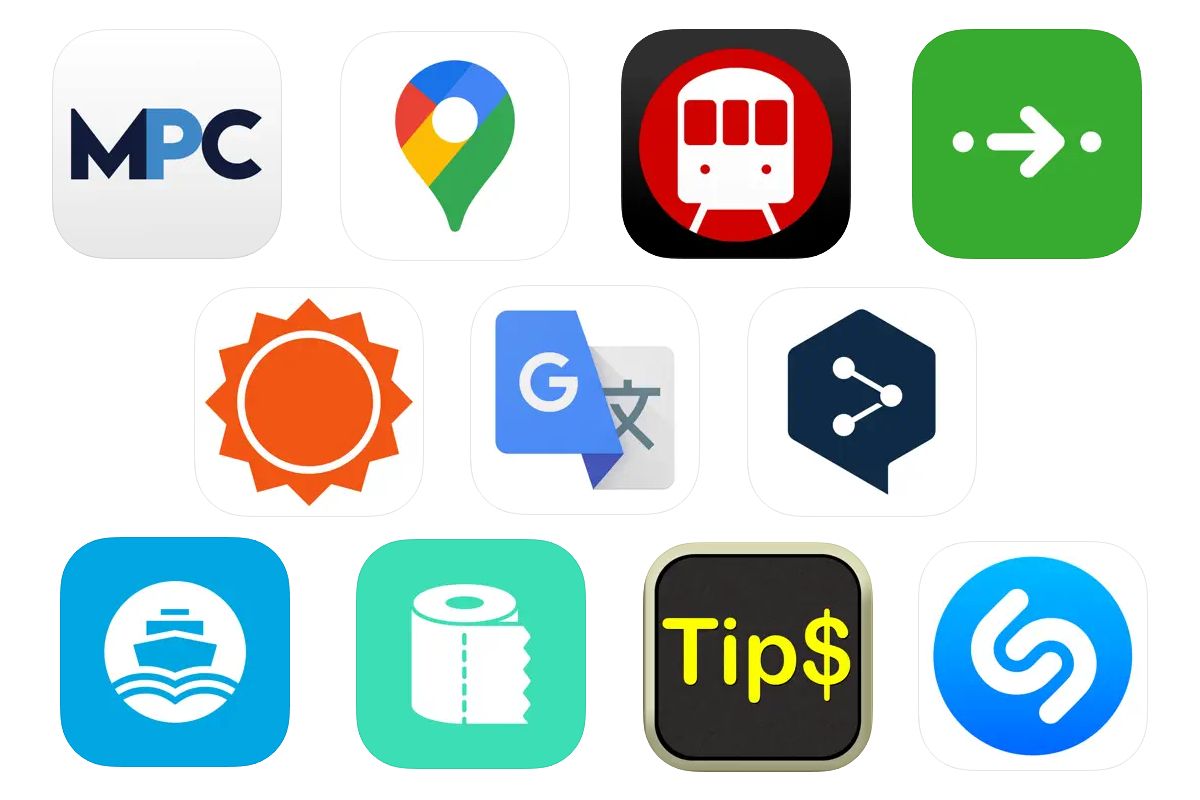
Make your New York trip easier by downloading these 10 free apps. They’ll help you at every stage of your journey—from immigration to getting around the city to calculating tips. Think of them as personal assistants for your New York visit.
1/ Mobile Passport Control: the immigration app
- Mobile Passport Control, or MPC, is an app created by U.S. Customs and Border Protection. It lets you prepare for U.S. immigration and customs screening and use a dedicated lane that moves much faster than the regular tourist line. Using the MPC lane can save you significant time.
- To use MPC, you must be a citizen of an EU country or Switzerland and entering the U.S. with an ESTA authorization. The app doesn’t work with a visa. For more details, see our article on Mobile Passport Control.
- Download: Apple Store and Google Play.

2/ Google Maps: the best mapping app
- For navigating New York and finding your way around, Google Maps is by far the best choice. The app shows standard 2D maps, satellite imagery, and immersive street-level views through Google Street View.
- Most importantly, it guides you through New York by plotting a route from your starting point to your destination. Just follow the recommended route, whether you’re using public transit or walking. An essential app for any New York trip.
- Download: Apple Store and Google Play.

3/ Apps for the New York subway
- Since the MTA (New York’s transit authority) doesn’t offer an official app, you’ll find many options for navigating the subway. I recommend New York Subway MTA Map—it’s practical, well-designed, and based on the official New York subway map.
- Use the Route Planner to get from one part of the city to another. The app shows your route and lists every subway station along the way. Bonus: the app is available in multiple languages.
- Download: Apple Store and Google Play.

4/ Citymapper: the app for getting around New York
- Here’s an excellent alternative if you’d rather not download a subway-specific app. Citymapper is a route-planning app that works in major cities worldwide. It covers public transit in New York, Paris, London, Montreal, Tokyo, Hong Kong, Sydney, and most major European and American cities.
- It’s simple to use: enter your starting point and destination, then follow the suggested route—whether by foot, bike, taxi, or public transit. Subway times appear in real time, and the app accounts for any service disruptions.
- Download: Apple Store and Google Play.

5/ AccuWeather: the weather app
- To make the most of your New York sightseeing, keep an eye on the weather and plan accordingly. This helps you organize your days efficiently—for example, you won’t want to spend a whole day in a museum when the sun is shining. Conversely, you can reschedule a walk on the High Line or through Bushwick if heavy rain is forecast.
- For weather forecasts, I recommend AccuWeather. This American company, founded in 1962, now provides forecasts to most major U.S. media outlets, including Bloomberg. It’s a trusted name in weather prediction.
- Download: Apple Store and Google Play.

6/ Translation apps
- If you’re not completely fluent in English, download a translation app. Google Translate is the most well-known option. You can type text to translate, speak into the microphone, or point your camera at any text on screen. Remarkably effective.
- If you prefer an alternative, try DeepL, which works the same way—type, speak, or photograph text. DeepL also publishes Linguee, an excellent English-French dictionary.
- Downloads: Google Translate on Apple Store and Google Translate on Google Play. DeepL on Apple Store and DeepL on Google Play. Linguee on Apple Store and Linguee on Google Play.

7/ The NYC Ferry app
- In New York, you can get around by more than just subway and bus. I also recommend traveling by NYC Ferry. This company operates several routes along the East River, connecting Midtown to the Financial District via Queens and Brooklyn. It’s a scenic way to travel, with great views of New York.
- The app lets you buy tickets and track the next ferries arriving at your stop.
- Download: Apple Store and Google Play.

8/ The app for finding restrooms in New York
- Need a restroom in a hurry? These apps can save you. Flush Toilet Finder (iPhone) and Restroom Finder NYC (Android) map all public restrooms in New York, showing their locations and cleanliness ratings. Very handy.
- You can filter results—for example, to show only restrooms with changing tables for babies or wheelchair-accessible facilities. Problem solved.
- Download: Apple Store and Google Play.

9/ Tip calculator apps
- Here’s something important to know about New York: unlike in Europe, service is never included in the bill at U.S. restaurants. In the United States, you add the tip yourself when you pay. These days, the minimum is 18%, and 20% is becoming standard. Don’t tip less. For more details, see our guide to tipping in New York.
- To avoid mental math, use a dedicated tip calculator app. Just enter the bill amount, set the tip percentage, and the app tells you how much to add. Several options exist—Tip Calculator for iPhone and Simple Tip Calculator for Android, for example.
- Download: Tip Calculator on Apple Store and Simple Tip Calculator on Google Play.

10/ Shazam: capture the sound of New York
- Shazam is one of my most-used apps in New York. This remarkable app identifies songs by listening to the music around you—just hold up your phone and it tells you the title and artist. Hear a song on the street, in a shop, or at a restaurant? Instantly find out what it is. It’s amazing and incredibly accurate.
- Over the course of your trip, you’ll build a soundtrack of your New York visit. On my last trip, I discovered “New York City” by The Chainsmokers this way.
- Download: Apple Store and Google Play.
