
How to Fill Out Your ESTA Authorization Correctly
To enter the United States, you need to obtain a travel authorization called ESTA. Here are the steps to follow.
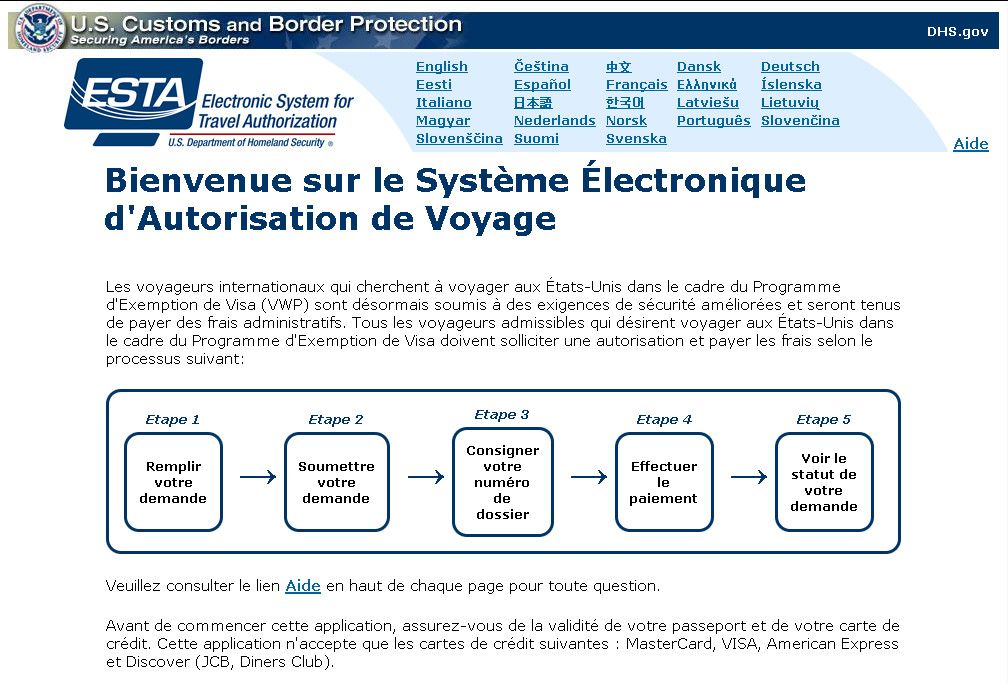
Since January 2009, you need to complete one administrative step before entering the United States: you must request an ESTA (Electronic System for Travel Authorization) from the U.S. government. Don’t worry—the process is straightforward. Here’s how to do it step by step.
1/ Make sure you’re on the official website
- Search “ESTA” online and you’ll find dozens of websites offering to file your application for you. These sites are legal and the authorization they provide is valid, but they charge service fees on top of the government fee. Some charge as much as €139 for an authorization that costs only $40 as of September 30, 2025. Avoid these sites.
- To submit your travel authorization request, go to the official U.S. Customs and Border Protection website.
- The official site is easy to spot: its address ends in .gov (for “government”). On the official site, ESTA costs $40—nothing more.
- You can display the form in different languages. Look for the language selector at the top right of the page.
2/ Accept the terms and conditions
- On the official website’s home page, look for a button labeled “Apply” in the lower left corner. Click it to access the application form.
- Before you reach the form, you must accept the “terms and conditions” and the “Travel Promotion Act of 2009”. You’ll need to answer “Yes, I have read, understood, and accept these terms and conditions” to each question. Check “Yes” and click “Next” to proceed to the form.
3/ Fill out the application form
- Now you’ll see the application form. Fill in the required fields: name, date of birth, and so on. Have your passport handy—you’ll need to enter your passport number, country of issue, issue date, and expiration date.
- Tip: Enter your information exactly as it appears on your passport. Important: do not use accents or special characters, as you’ll have to correct them later. If your name is François or Léa, enter Francois and Lea.
- Each person needs their own form. If you’re traveling as a couple or with children, fill out one form per person (and pay $40 each time).
- Once you’ve completed the form, check the box confirming that you have read and understood all questions and statements on the application, then click “Next”.
4/ Review your information
- You’ll reach a page titled “Application Submission” where you can review your information.
- Check that everything is correct. If you spot an error, click “Previous” to go back and fix it. Keep in mind that if you discover an error after your ESTA is approved, you’ll need to submit a new application and pay another $40. It’s worth taking time to review carefully.
- If everything looks good, complete the verification information at the bottom of the page and click “Submit Application”.
5/ Pay the processing fee
- Since 2010, ESTA requires a processing fee. The cost is $40. You must pay by credit card. Visa, Mastercard, and American Express are all accepted.
- Enter your credit card details, including the card number and expiration date, then click “Pay Now”. A screen will appear asking you to wait while your payment is processed and your authorization is issued. As the screen indicates, “this may take several minutes”.
6/ Print your authorization
- After a few moments, if everything goes smoothly, you’ll see the message “Authorization Approved”. You’re one step closer to the United States.
- On this same page, you’ll see a note from the Department of Homeland Security: “DHS recommends that you print this page for your records, but you are not required to present a printed copy of your authorization to travel.” In other words, printing your ESTA is optional—but it’s a good idea to print it and keep it with you just in case. Have a great trip!