
How to Check Your ESTA Validity and Reprint It
Heading back to the United States and already applied for an ESTA? Here's how to verify its validity and print it again.
If you’re a European citizen, you need travel authorization to enter the United States. This is called an ESTA (Electronic System for Travel Authorization). Once approved, your ESTA is valid for 2 years. The problem? It’s easy to forget when it expires or lose the printed copy you made. Here’s how to check.
How to check your ESTA expiration date
- Go to the official ESTA website. Be careful: many fake sites look almost identical to the real one. Use the link provided here, or if you search on Google, make sure you click the correct result.
- In the top right corner, you can change the language if needed.
- Click on “Check existing application“.
- Click on “Check individual status“.
- A security notification will appear. Click “Confirm and continue“. You don’t have a choice anyway.
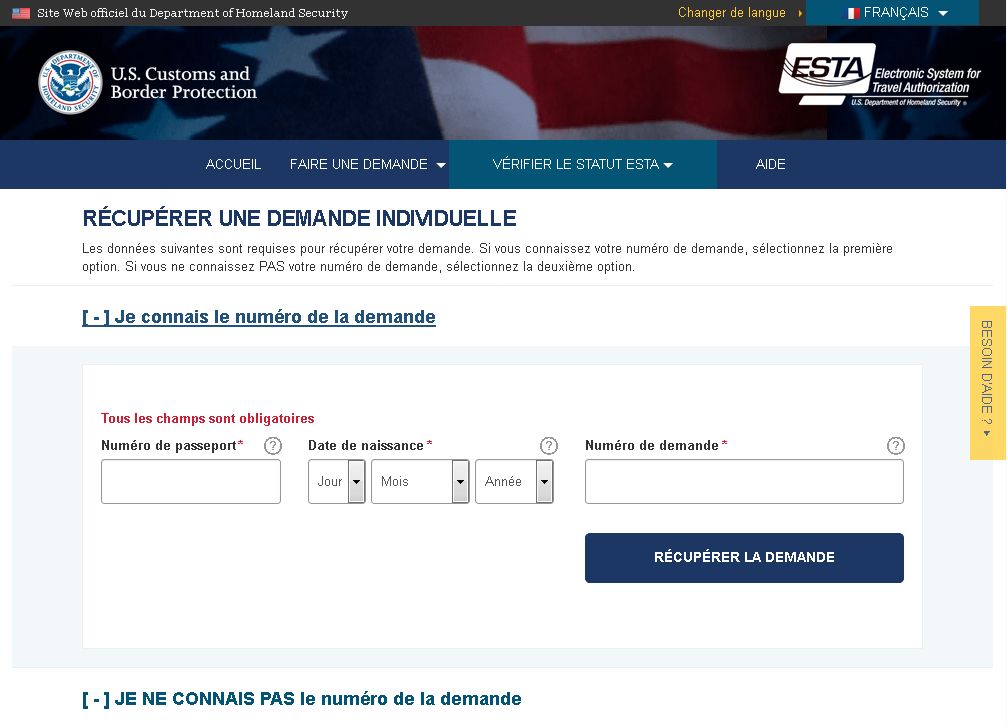
- You’ll reach the page to “Retrieve an existing application” — this is where you access your file.
- If you know your ESTA application number, fill in the first section with your passport number, date of birth, and application number.
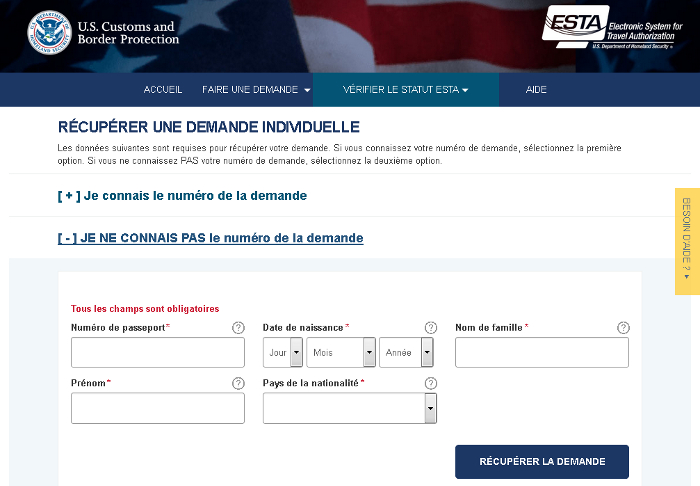
- If you don’t know your application number, use the second section. You’ll need your passport number, date of birth, last name, first name, and nationality.
- Click the “Retrieve application” button and your ESTA will appear on screen. You’ll see the expiration date. This is the deadline to enter the United States with this ESTA—not the deadline to leave. In other words, if your ESTA expires August 10, you can enter the US until August 9 and leave within 90 days after that.
 How to print your ESTA again
Once you’ve retrieved your application, you have 3 options to view and print your ESTA.
- Click the “Download” button to display a summary of your application, which you can print however you like.
- Click the “Print” button to send the application summary directly to your printer.
- Click the small “View” button next to your ESTA expiration date. This shows your complete application with all your answers to every question, which you can then print.
Choose whichever option works for you. Two things to know:
- You don’t legally need a printed copy—ESTA is an electronic authorization. That said, I recommend carrying one anyway, because immigration officers sometimes ask for it. It’s never happened to me, but I’ve seen it reported on the New York forum.
- The application summary is enough. You don’t need to travel with the full application and all your answers to every question.
